Cuckoo, now on your desktop
Bring Cuckoo to every meeting. No bots required, translating the moment you speak.
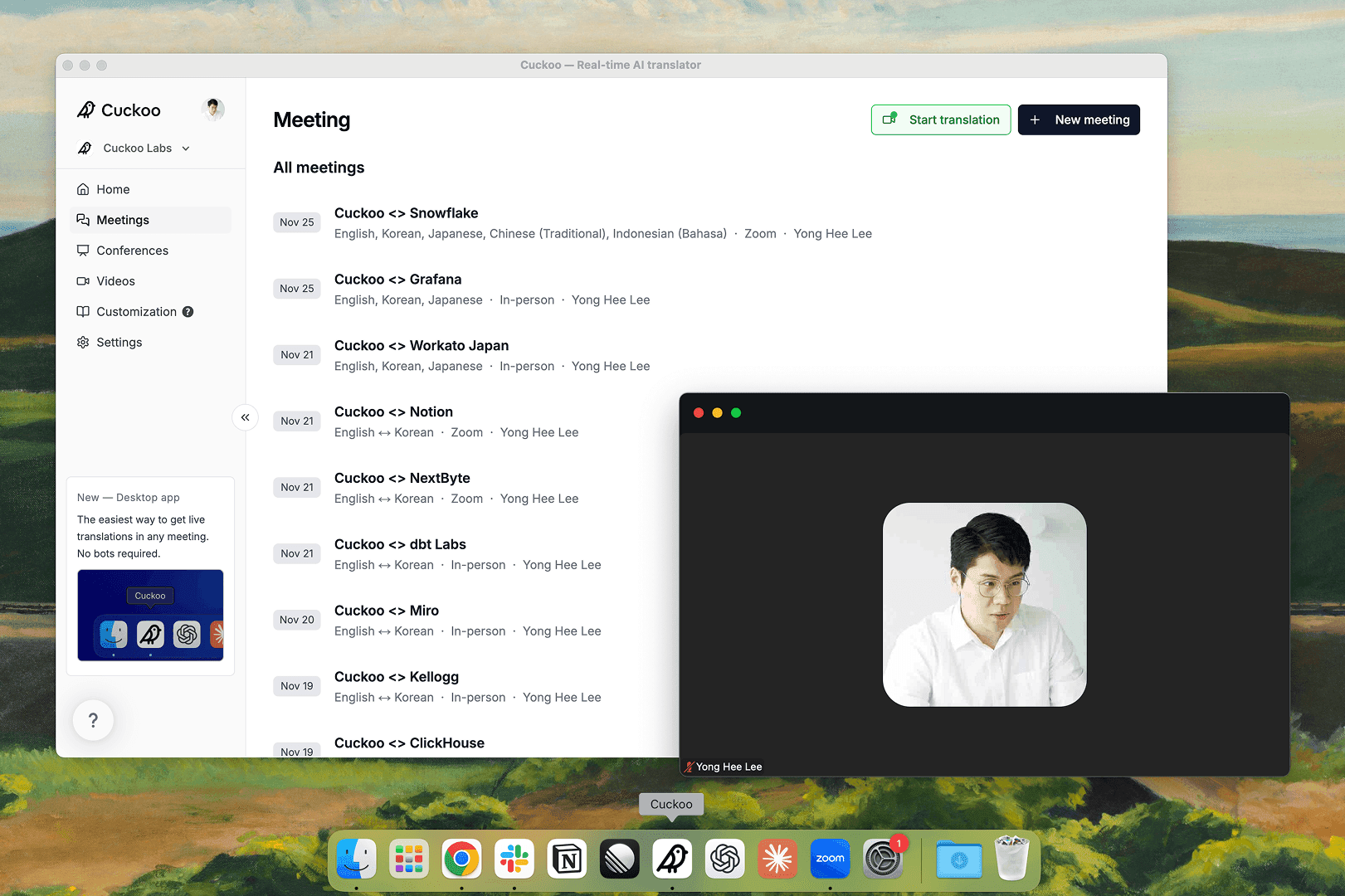
Today, the Cuckoo desktop app for macOS and Windows is generally available. It's the easiest and most reliable way to get real-time translation in any meeting.
Live translation without a bot
With the desktop app, there's no bot to invite, no meeting link to paste, and no host approval to request. Cuckoo runs quietly in the background and starts translating as soon as you speak, so it's ready when your meeting begins.
Cuckoo works directly with your computer's audio, so it works across meeting platforms. Once installed, it lives in your dock or system tray, out of the way until you need it.
Built for every meeting
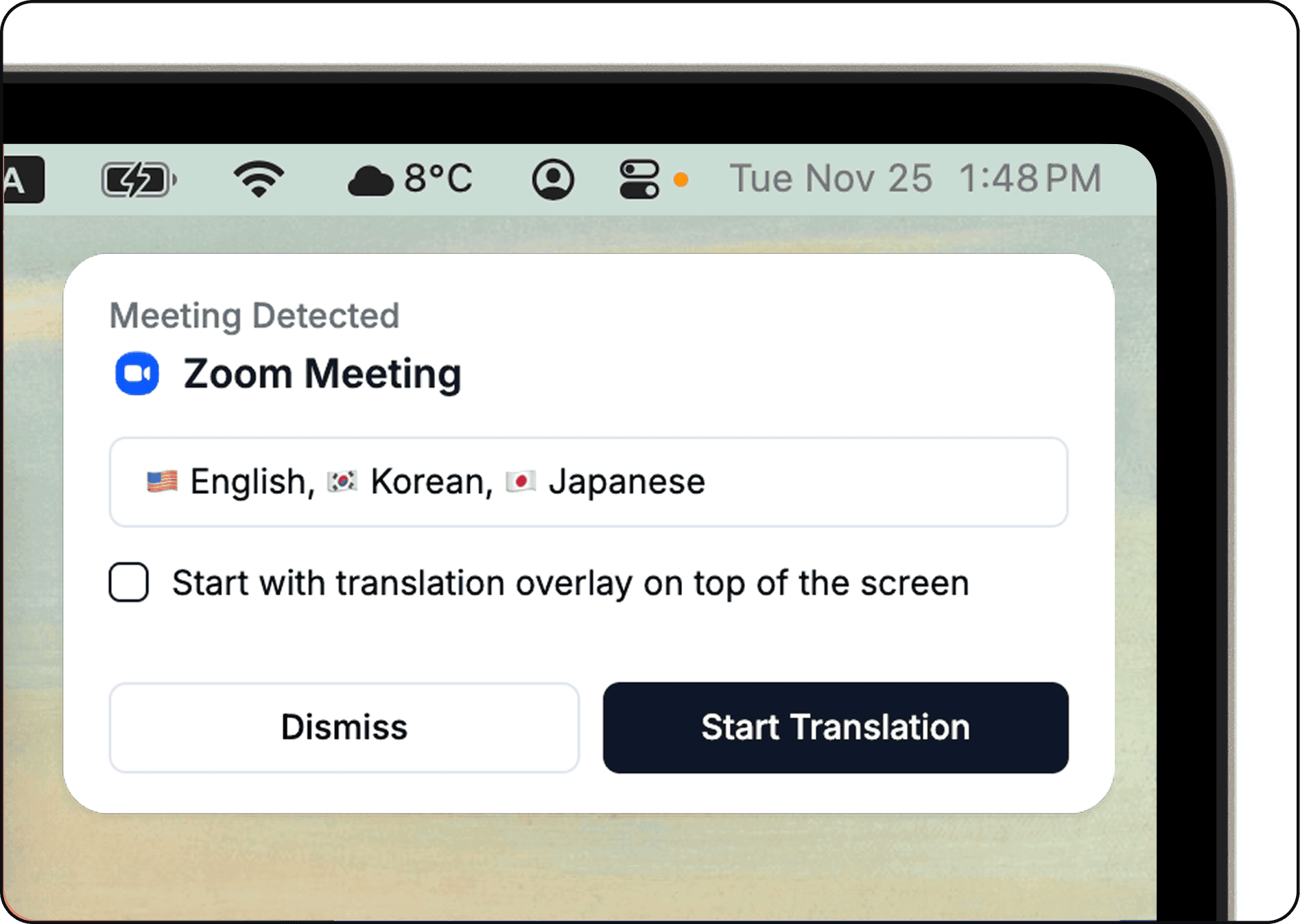
Cuckoo notifies you when a meeting starts, and you can open it instantly from the menu bar. A transparent translation window can sit on top of any screen, so you can follow the conversation without switching apps.
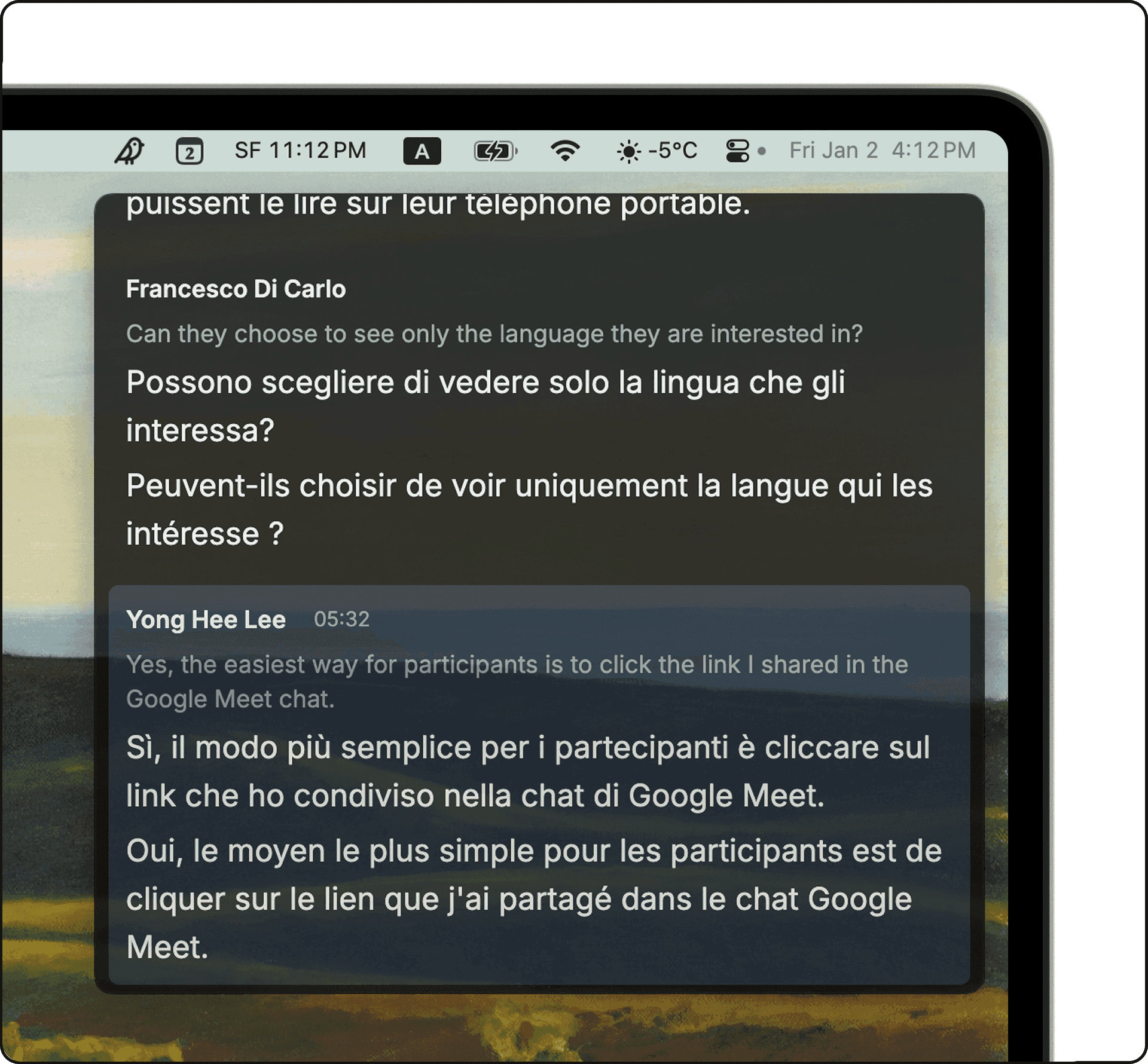
Like the web app, the desktop app learns your industry and team context. Translations stay accurate and reflect how your team actually communicates.
Download the desktop app
Download Cuckoo for macOS and Windows at cuckoo.so/download.