Introducing Snippets
A text translator that works right where you work.
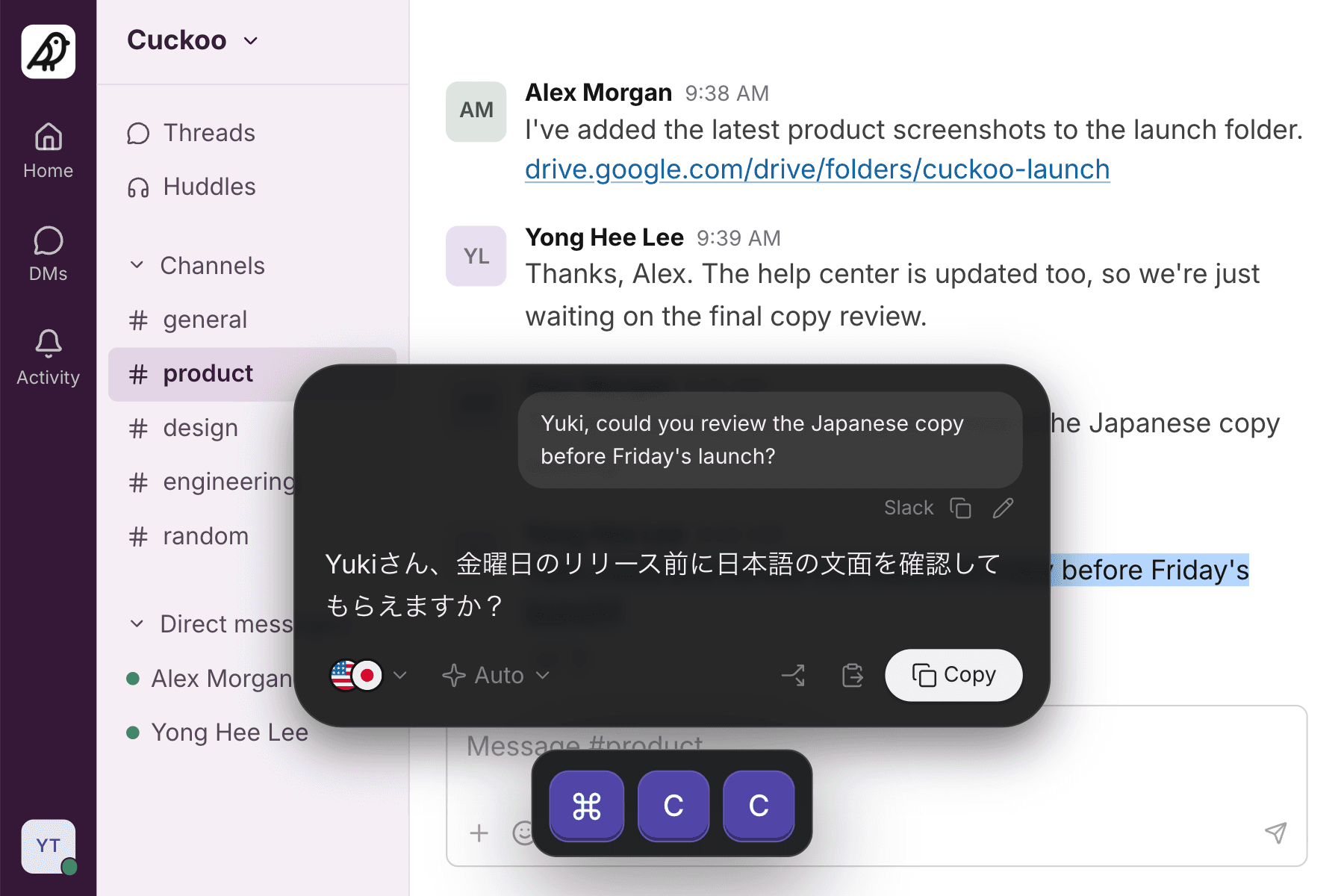
Today, we're launching Cuckoo for Snippets, a text translator that works where you work.
If you work across languages, you probably find yourself switching between your apps and ChatGPT constantly throughout the day. You copy and paste text and type the same prompts just to catch up on Slack or go through documents.
Snippets saves you from all that context (and tab) switching and makes translation a natural part of your daily work.
How it works
You can activate Snippets by selecting any text and pressing Cmd + C + C. Snippets translates the text right where you are in a small overlay.
If you're writing a message on Slack or working on a document, you can also replace what you've written with the translated version with Cmd + R.
Behind the shortcut, Snippets understands the context of your app and the surrounding text. This means you get the right tone and meaning without having to explain the context to Claude every time, while keeping your original formatting and links intact.
You can also use the same shortcut to capture any area of your screen, whether it's a photo, a video, or text you can't select. Snippets recognizes, reconstructs, and translates the text for you.
New ways to work across languages
Many of our users have told us that language friction doesn't end when a meeting does.
As someone who talks with customers around the world in more than five languages while juggling Slack, Intercom, and email, I couldn't agree more.
With the addition of Snippets, we think Cuckoo can remove more of the language friction you experience in your everyday work beyond meetings.
For much of the past two decades, the way we interact with translation tools has largely stayed the same: the familiar two-column layout of Google Translate.
We think AI and emerging AI applications are opening up new ways to interact with translation and language as well.
Snippets is our first take on this, and we're excited to explore new ways to help our users work and communicate across languages, across different mediums and interfaces.
Try Snippets for free
Snippets is available for free to all our users, starting on the latest macOS app.
Windows support is coming next year.
I'd love for you to try it out and hear what you think. As always, just hit reply.